⚙️ Settings tab
Settings is the app's control panel: appearance, security, privacy, currency, backups and your account. This is where you decide how it looks and how your information is protected.
On this page
What is this screen for?
To make the app your own and keep your data safe and under your control.
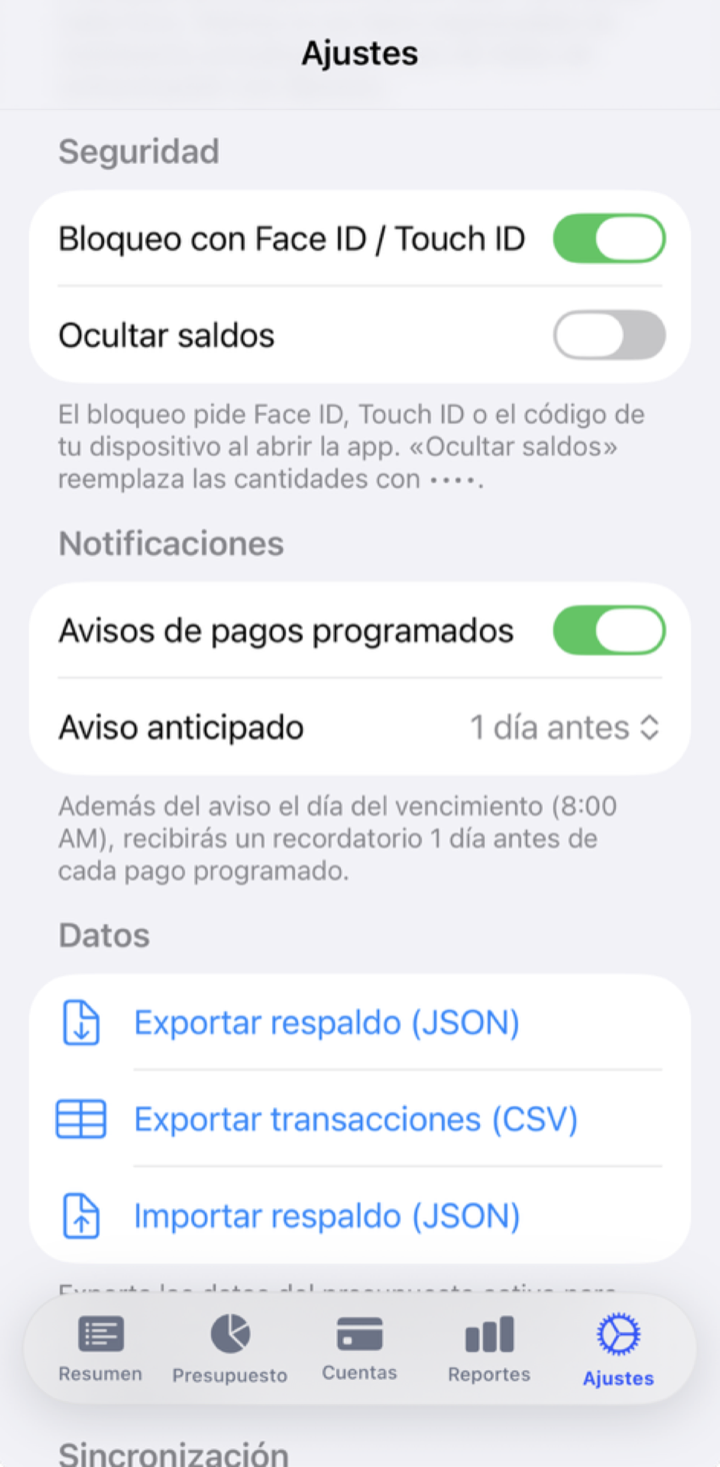
What you'll find here
- Light / dark theme — the app's appearance.
- Face ID / Touch ID lock — asks for your face or fingerprint to open the app.
- Privacy mode — hides every amount with one tap, ideal for using the app in public.
- Multi-currency — your budget has its own currency, and each account can use a different one.
- Language — Spanish or English.
- Export / import data — a JSON backup or your transactions as CSV.
- Sync — turns on backup across devices if you have an account.
- Delete account — deletes your account and all your data.
Export and import
- Go to Settings and choose export.
- Pick the format: JSON (a full backup of the budget) or CSV (transactions only, to open in spreadsheets).
- Share the file wherever you want (AirDrop, email…). It's generated on your device.
When you import a JSON backup, the app restores it as a new budget (it doesn't overwrite the current one). It's safe for trying things out or for moving your data to another device.
Account and sync
Sobres works without an account (local mode: everything stays on your iPhone). If you create an account and sign in, your data is synced encrypted and kept separate per user, so you have it on all your devices. Creating an account is optional; you can go back to local mode by signing out.
All the details about what is stored and where are in the Privacy Policy.
Deleting your account
In Settings → Account → Delete account (on the web, Settings → Danger zone) you can permanently delete your user and all your data, both on the server and the local copy. This action is irreversible.
Before deleting, export a backup if you want to keep your information. Once it's deleted, it can't be recovered.
What if…?
What if I forget my password?
From the sign-in screen you can ask to recover access by email. If you use local mode without an account, there's no password to recover: your data is on the device.
What if I get a new iPhone?
With an account, sign in on the new device and your data syncs. Without an account, export a JSON backup on the old one and import it on the new one.
What if I turn on privacy mode and forget how to turn it off?
It's a switch in Settings (and it usually has a shortcut). Tap it again to show the amounts again.