🎯 Savings goals
A goal turns an envelope into a savings plan: you tell the app how much you want to save (and by when) and it calculates how much to put in each month and shows you your progress.
On this page
What is a goal?
It's a target you give an envelope. Instead of assigning "whatever's left", the app tells you how much you still need and how much to put in to get there. Since the available amount accumulates month to month, your envelope keeps growing until it reaches the goal.
The 5 goal types
| Type | What it does | Example |
|---|---|---|
| Fixed monthly savings | Set aside a fixed amount every month | $500 a month for the Emergency fund |
| Fixed weekly savings | An amount for each week of the month | $200 a week for Groceries |
| Target amount | Reach a total, with no date | Build up a $20,000 cushion |
| Target by date | Reach a total by a date; the app spreads the monthly contribution | $18,000 by December (holiday gifts) |
| Debt payment | Like the target by date, to pay something off | Pay off $12,000 of debt in 6 months |
If you have a deadline (a trip, a payment), use target by date or debt payment: the app divides what's left among the remaining months and tells you the monthly contribution. If you just want to save without a rush, use target amount or a fixed savings goal.
How to set a goal
- In Budget, open the category and go to edit it.
- Choose the goal type and enter the amount (and the target date, if it applies).
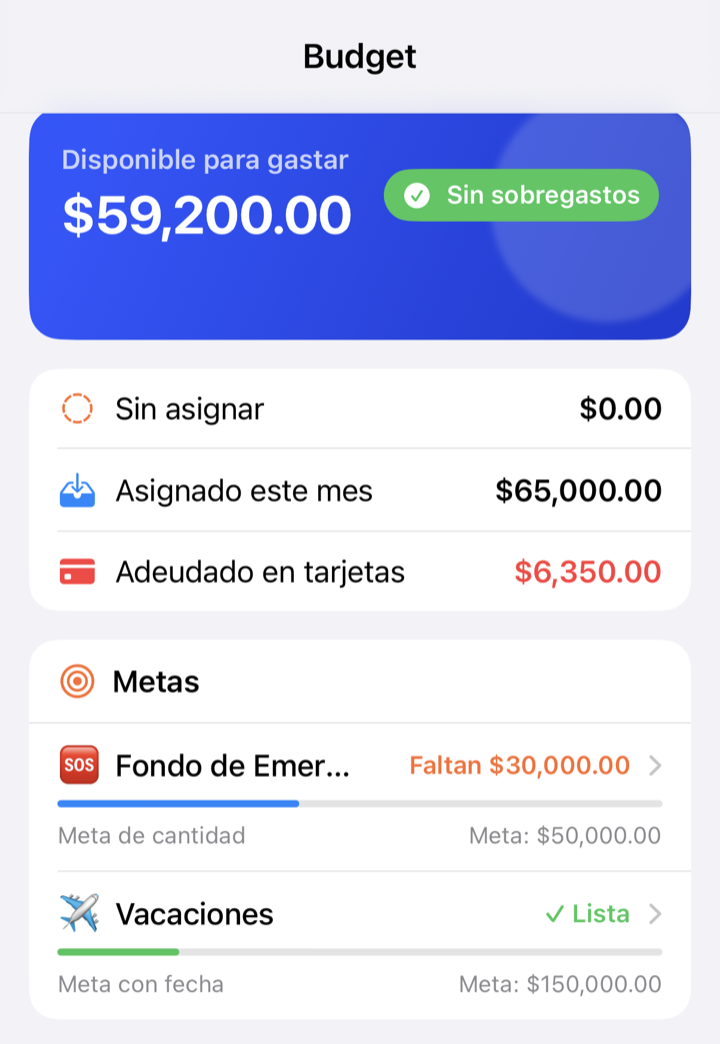
- Save. From then on you'll see a progress bar on the category.
Goals aren't offered for credit card categories or system categories: the app manages those automatically.
The goal detail screen
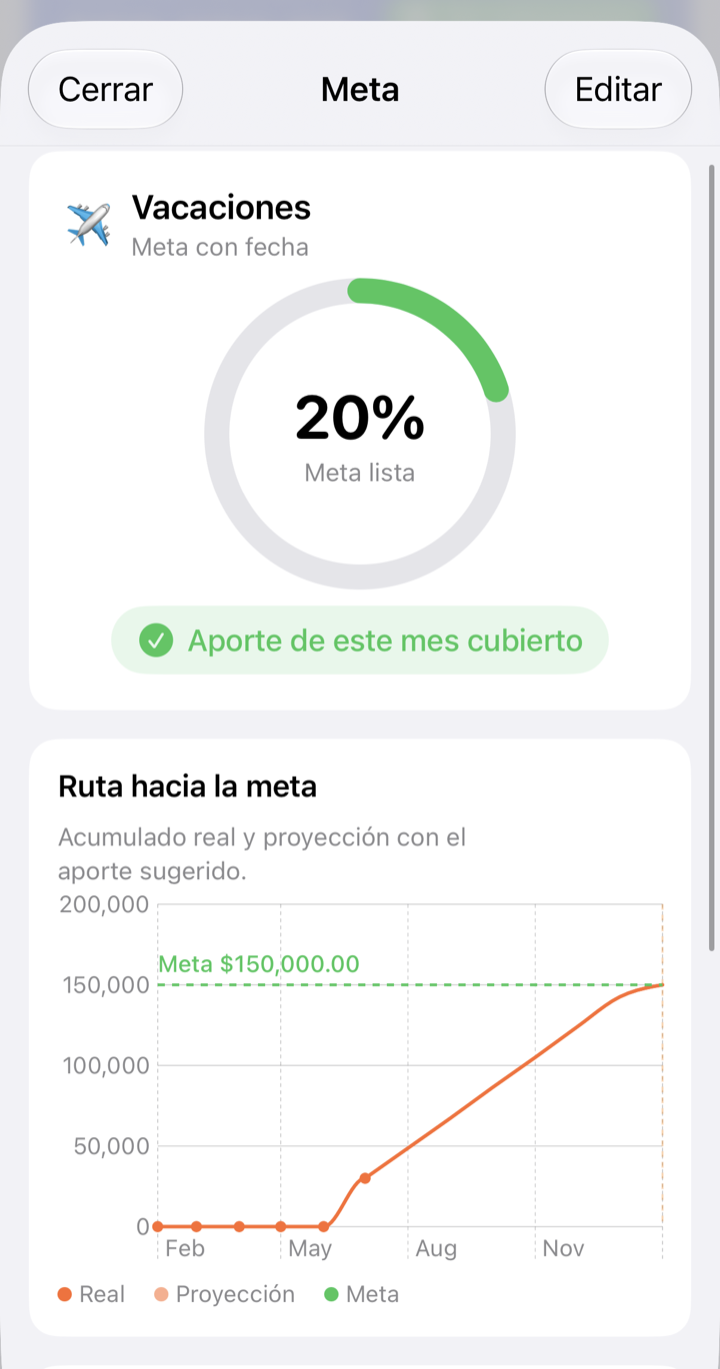
From Summary, tap a goal to open its detail:
- Progress ring — how close you are, as a percentage.
- Suggested monthly contribution — how much to assign this month to stay on track.
- Current available — what you've already saved in the envelope.
- Target date — when you want to reach it.
- Chart — your actual progress and the projection of when you'll reach it at this pace.
What happens to your money
A goal doesn't move money on its own: it's a guide. You keep assigning to the envelope in Budget (or let a fixed savings goal remind you of the amount). The goal only compares how much you have with how much you need and tells you whether you're on track.
What if…?
What if I don't assign the suggested contribution one month?
Nothing happens: the goal recalculates. If you fall behind, the suggested contribution for the remaining months goes up so you still get there on time. The projection chart will show you the new estimate.
What if I spend from the envelope that has a goal?
The available amount goes down and so does your progress. That's normal for spending envelopes; for pure savings, try not to touch it until you reach the goal.
What if I already reached the goal?
The ring reaches 100%. You can spend that money on its purpose, raise the goal or remove it. The envelope keeps working as usual.